1. Write a Java program to create an interface Shape with the getArea() method. Create three classes Rectangle, Circle, and Triangle that implement the Shape interface. Implement the getArea() method for each of the three classes.
            // Shape interface
            interface Shape {
                double getArea();
            }

            // Rectangle class implementing Shape
            class Rectangle implements Shape {
                private double length;
                private double width;

                public Rectangle(double length, double width) {
                    this.length = length;
                    this.width = width;
                }

                @Override
                public double getArea() {
                    return length * width;
                }
            }

            // Circle class implementing Shape
            class Circle implements Shape {
                private double radius;

                public Circle(double radius) {
                    this.radius = radius;
                }

                @Override
                public double getArea() {
                    return Math.PI * radius * radius;
                }
            }

            // Triangle class implementing Shape
            class Triangle implements Shape {
                private double base;
                private double height;

                public Triangle(double base, double height) {
                    this.base = base;
                    this.height = height;
                }

                @Override
                public double getArea() {
                    return 0.5 * base * height;
                }
            }

            // Main class to test the Shape interface and its implementations
             class ShapeTest {
                public static void main(String[] args) {
                    // Test Rectangle
                    Rectangle rectangle = new Rectangle(5, 8);
                    System.out.println("Area of Rectangle: " + rectangle.getArea());

                    // Test Circle
                    Circle circle = new Circle(4);
                    System.out.println("Area of Circle: " + circle.getArea());

                    // Test Triangle
                    Triangle triangle = new Triangle(6, 10);
                    System.out.println("Area of Triangle: " + triangle.getArea());
                }
            }
Output

2. Write a Java program to create a Animal interface with a method called bark() that takes no arguments and returns void. Create a Dog class that implements Animal and overrides speak() to print "Dog is barking".
            // Declare the Animal interface
            interface Animal {
                // Declare the abstract method "bark" that classes implementing this interface must provide
                void speak();
            }

            // Declare the Dog class, which implements the Animal interface
            class Dog implements Animal {
                // Implement the "bark" method required by the Animal interface
                @Override
                public void speak() {
                    // Print a message indicating that the Dog is barking
                    System.out.println("Dog is barking!");
                }
            }
            public class interface_2_7093  {
                public static void main(String[] args) {
                    // Create an instance of the Dog class
                    Dog dog = new Dog();

                    // Call the "bark" method on the Dog instance
                    dog.speak();
                }
            }
Output

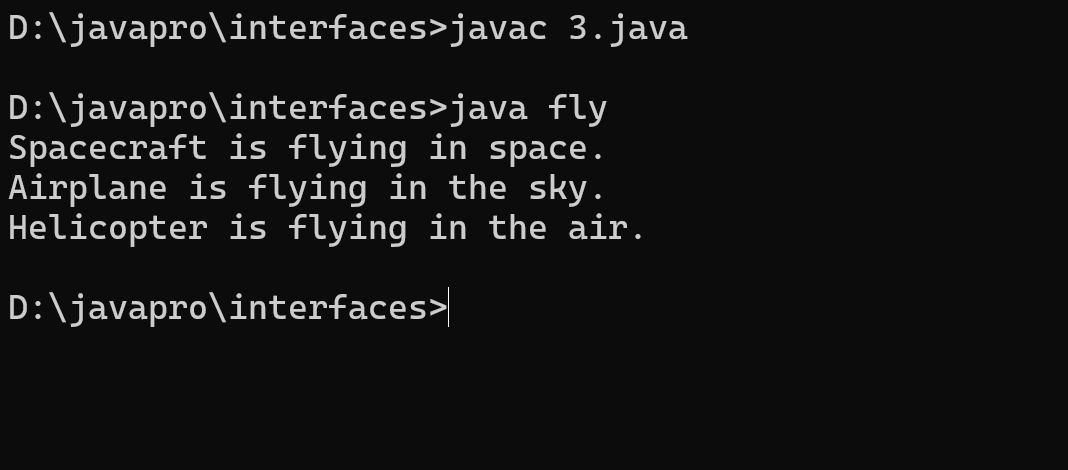
3. Write a Java program to create an interface Flyable with a method called fly_obj(). Create three classes Spacecraft, Airplane, and Helicopter that implement the Flyable interface. Implement the fly_obj() method for each of the three classes. Tutoria
            // Flyable interface
            interface Flyable {
                void fly_obj();
            }

            // Spacecraft class implementing Flyable interface
            class Spacecraft implements Flyable {
                @Override
                public void fly_obj() {
                    System.out.println("Spacecraft is flying in space.");
                }
            }

            // Airplane class implementing Flyable interface
            class Airplane implements Flyable {
                @Override
                public void fly_obj() {
                    System.out.println("Airplane is flying in the sky.");
                }
            }

            // Helicopter class implementing Flyable interface
            class Helicopter implements Flyable {
                @Override
                public void fly_obj() {
                    System.out.println("Helicopter is flying in the air.");
                }
            }

            class fly{
                public static void main(String[] args) {
                    // Create objects of each class and call fly_obj() method
                    Spacecraft sc = new Spacecraft();
                    Airplane ap = new Airplane();
                    Helicopter hc = new Helicopter();

                    // Call fly_obj() method for each object
                    sc.fly_obj();
                    ap.fly_obj();
                    hc.fly_obj();
                }
            }
Output
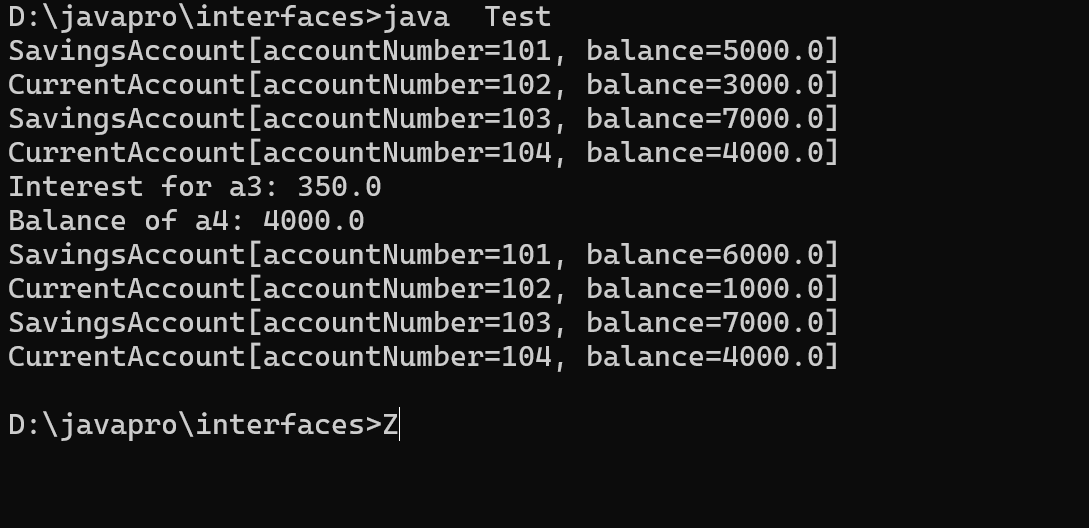
4. Write a Java programming to create a banking system with three classes - Bank, Account, SavingsAccount, and CurrentAccount. The bank should have a list of accounts and methods for adding them. Accounts should be an interface with methods to deposit, withdraw, calculate interest, and view balances. SavingsAccount and CurrentAccount should implement the Account interface and have their own unique methods.
            // A class to represent a bank
            class Bank {
              // A list of accounts in the bank
              private java.util.List accounts;

              // A constructor to initialize the list
              public Bank() {
                accounts = new java.util.ArrayList();
              }

              // A method to add an account to the bank
              public void addAccount(Account account) {
                accounts.add(account);
              }

              // A method to display the details of all accounts
              public void displayAccounts() {
                for (Account account : accounts) {
                  System.out.println(account);
                }
              }
            }

            // An interface to represent an account
            interface Account {
              // A method to deposit money into the account
              public void deposit(double amount);

              // A method to withdraw money from the account
              public void withdraw(double amount);

              // A method to calculate the interest on the account
              public double calculateInterest();

              // A method to view the balance of the account
              public double getBalance();

              // A method to display the details of the account
              public String toString();
            }

            // A class to represent a savings account
            class SavingsAccount implements Account {
              // A constant to store the interest rate
              private static final double INTEREST_RATE = 0.05;

              // A variable to store the account number
              private int accountNumber;

              // A variable to store the balance of the account
              private double balance;

              // A constructor to initialize the account number and balance
              public SavingsAccount(int accountNumber, double balance) {
                this.accountNumber = accountNumber;
                this.balance = balance;
              }

              // A method to deposit money into the account
              public void deposit(double amount) {
                balance += amount;
              }

              // A method to withdraw money from the account
              public void withdraw(double amount) {
                if (balance >= amount) {
                  balance -= amount;
                } else {
                  System.out.println("Insufficient funds");
                }
              }

              // A method to calculate the interest on the account
              public double calculateInterest() {
                return balance * INTEREST_RATE;
              }

              // A method to view the balance of the account
              public double getBalance() {
                return balance;
              }

              // A method to display the details of the account
              public String toString() {
                return "SavingsAccount[accountNumber=" + accountNumber + ", balance=" + balance + "]";
              }
            }

            // A class to represent a current account
            class CurrentAccount implements Account {
              // A constant to store the overdraft limit
              private static final double OVERDRAFT_LIMIT = 1000;

              // A variable to store the account number
              private int accountNumber;

              // A variable to store the balance of the account
              private double balance;

              // A constructor to initialize the account number and balance
              public CurrentAccount(int accountNumber, double balance) {
                this.accountNumber = accountNumber;
                this.balance = balance;
              }

              // A method to deposit money into the account
              public void deposit(double amount) {
                balance += amount;
              }

              // A method to withdraw money from the account
              public void withdraw(double amount) {
                if (balance + OVERDRAFT_LIMIT >= amount) {
                  balance -= amount;
                } else {
                  System.out.println("Overdraft limit exceeded");
                }
              }

              // A method to calculate the interest on the account
              public double calculateInterest() {
                return 0; // No interest for current account
              }

              // A method to view the balance of the account
              public double getBalance() {
                return balance;
              }

              // A method to display the details of the account
              public String toString() {
                return "CurrentAccount[accountNumber=" + accountNumber + ", balance=" + balance + "]";
              }
            }

            // A class to test the program
            class Test {
              public static void main(String[] args) {
                // Create a bank object
                Bank bank = new Bank();

                // Create some account objects
                Account a1 = new SavingsAccount(101, 5000);
                Account a2 = new CurrentAccount(102, 3000);
                Account a3 = new SavingsAccount(103, 7000);
                Account a4 = new CurrentAccount(104, 4000);

                // Add the accounts to the bank
                bank.addAccount(a1);
                bank.addAccount(a2);
                bank.addAccount(a3);
                bank.addAccount(a4);

                // Display the details of all accounts
                bank.displayAccounts();

                // Deposit some money into a1
                a1.deposit(1000);

                // Withdraw some money from a2
                a2.withdraw(2000);

                // Calculate the interest for a3
                System.out.println("Interest for a3: " + a3.calculateInterest());

                // Display the balance of a4
                System.out.println("Balance of a4: " + a4.getBalance());

                // Display the details of all accounts again
                bank.displayAccounts();
              }
            }
Output
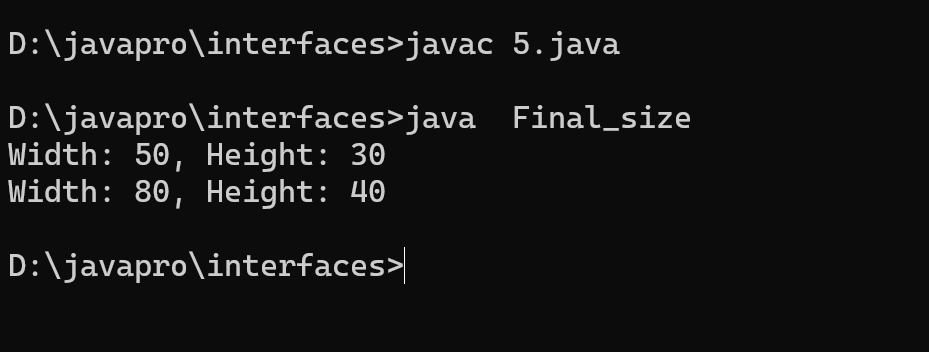
5. Write a Java program to create an interface Resizable with methods resizeWidth(int width) and resizeHeight(int height) that allow an object to be resized. Create a class Rectangle that implements the Resizable interface and implements the resize methods.
            interface Resizable {

              void resizeWidth(int width);

            void resizeHeight(int height);
          }

          class Rectangle implements Resizable {

              private int width;
              private int height;

              public Rectangle(int width, int height) {
                  this.width = width;
                  this.height = height;
              }

              public void resizeWidth(int width) {
                  this.width = width;
              }


              public void resizeHeight(int height) {
                  this.height = height;
              }

              public void printSize() {
                  System.out.println("Width: " + width + ", Height: " + height);
              }
          }


           class Final_size {
              public static void main(String s[] ) {

                  Rectangle r = new Rectangle(50, 30);

                  r.printSize();


                  r.resizeWidth(80);
                  r.resizeHeight(40);
                  r.printSize();
              }
          }
Output
6. Write a Java program to create an interface Drawable with a method draw() that takes no arguments and returns void. Create three classes Circle, Rectangle, and Triangle that implement the Drawable interface and override the draw() method to draw their respective shapes.
            // Drawable.java

            // Declare the Drawable interface
            interface Drawable {
                // Declare the abstract method "draw" that classes implementing this interface must provide
                void draw();
            }

            // Circle.java

            // Import necessary libraries for graphics and user interface
            import java.awt.*;
            import javax.swing.*;

            // Declare the Circle class, which implements the Drawable interface
            class Circle implements Drawable {
                // Implement the "draw" method required by the Drawable interface
                public void draw() {
                    // Create a new JFrame for displaying the circle
                    JFrame frame = new JFrame();
                    frame.setDefaultCloseOperation(JFrame.EXIT_ON_CLOSE);
                    frame.setSize(400, 400);
                    frame.setVisible(true);

                    // Create a JPanel for custom drawing
                    JPanel panel = new JPanel() {
                        @Override
                        protected void paintComponent(Graphics g) {
                            super.paintComponent(g);
                            // Set the drawing color to red and fill an oval
                            g.setColor(Color.RED);
                            g.fillOval(100, 100, 200, 200);
                        }
                    };

                    // Add the panel to the frame
                    frame.add(panel);
                }
            }
            // Rectangle.java

            // Import necessary libraries for graphics and user interface
            import java.awt.*;
            import javax.swing.*;

            // Declare the Rectangle class, which implements the Drawable interface
            class Rectangle implements Drawable {
                // Implement the "draw" method required by the Drawable interface
                public void draw() {
                    // Create a new JFrame for displaying the rectangle
                    JFrame frame = new JFrame();
                    frame.setDefaultCloseOperation(JFrame.EXIT_ON_CLOSE);
                    frame.setSize(400, 400);
                    frame.setVisible(true);

                    // Create a JPanel for custom drawing
                    JPanel panel = new JPanel() {
                        @Override
                        protected void paintComponent(Graphics g) {
                            super.paintComponent(g);
                            // Set the drawing color to blue and fill a rectangle
                            g.setColor(Color.BLUE);
                            g.fillRect(100, 100, 200, 200);
                        }
                    };

                    // Add the panel to the frame
                    frame.add(panel);
                }
            }
            // Triangle.java

            // Import necessary libraries for graphics and user interface
            import java.awt.*;
            import javax.swing.*;

            // Declare the Triangle class, which implements the Drawable interface
            class Triangle implements Drawable {
                // Implement the "draw" method required by the Drawable interface
                public void draw() {
                    // Create a new JFrame for displaying the triangle
                    JFrame frame = new JFrame();
                    frame.setDefaultCloseOperation(JFrame.EXIT_ON_CLOSE);
                    frame.setSize(400, 400);
                    frame.setVisible(true);

                    // Create a JPanel for custom drawing
                    JPanel panel = new JPanel() {
                        @Override
                        protected void paintComponent(Graphics g) {
                            super.paintComponent(g);
                            // Set the drawing color to green and fill a polygon
                            g.setColor(Color.GREEN);
                            int[] xPoints = {
                                200,
                                100,
                                300
                            };
                            int[] yPoints = {
                                100,
                                300,
                                300
                            };
                            g.fillPolygon(xPoints, yPoints, 3);
                        }
                    };

                    // Add the panel to the frame
                    frame.add(panel);
                }
            }
            // Main.java

            // Import necessary libraries for graphics and user interface
            import java.awt.*;
            import javax.swing.*;

            // Declare the Main class
            class Interfaces_6 {
                public static void main(String[] args) {
                    // Create instances of Drawable objects, which are Circle, Rectangle, and Triangle
                    Drawable circle = new Circle();
                    Drawable rectangle = new Rectangle();
                    Drawable triangle = new Triangle();

                    // Call the "draw" method to display each shape
                    circle.draw();
                    rectangle.draw();
                    triangle.draw();
                }
            }
Output

7. Write a Java program to create an interface Sortable with a method sort() that sorts an array of integers in ascending order. Create two classes BubbleSort and SelectionSort that implement the Sortable interface and provide their own implementations of the sort() method.
            interface Sortable {
              void sort(int[] arr);
          }

          class BubbleSort implements Sortable {
              @Override
              public void sort(int[] arr) {
                  int n = arr.length;
                  boolean swapped;
                  for (int i = 0; i < n - 1; i++) {
                      swapped = false;
                      for (int j = 0; j < n - i - 1; j++) {
                          if (arr[j] > arr[j + 1]) {
                              // Swap arr[j] and arr[j+1]
                              int temp = arr[j];
                              arr[j] = arr[j + 1];
                              arr[j + 1] = temp;
                              swapped = true;
                          }
                      }
                      // If no two elements were swapped in inner loop, the array is already sorted
                      if (!swapped) {
                          break;
                      }
                  }
              }
          }

          class SelectionSort implements Sortable {
              @Override
              public void sort(int[] arr) {
                  int n = arr.length;
                  for (int i = 0; i < n - 1; i++) {
                      int minIndex = i;
                      for (int j = i + 1; j < n; j++) {
                          if (arr[j] < arr[minIndex]) {
                              minIndex = j;
                          }
                      }
                      // Swap the found minimum element with the first element
                      int temp = arr[i];
                      arr[i] = arr[minIndex];
                      arr[minIndex] = temp;
                  }
              }
          }

          public class SortExample {
              public static void main(String[] args) {
                  int[] arr = {64, 34, 25, 12, 22, 11, 90};

                  Sortable bubbleSort = new BubbleSort();
                  bubbleSort.sort(arr);
                  System.out.println("Sorted using Bubble Sort: " + java.util.Arrays.toString(arr));

                  int[] arr2 = {64, 34, 25, 12, 22, 11, 90};

                  Sortable selectionSort = new SelectionSort();
                  selectionSort.sort(arr2);
                  System.out.println("Sorted using Selection Sort: " + java.util.Arrays.toString(arr2));
              }
          }
Output

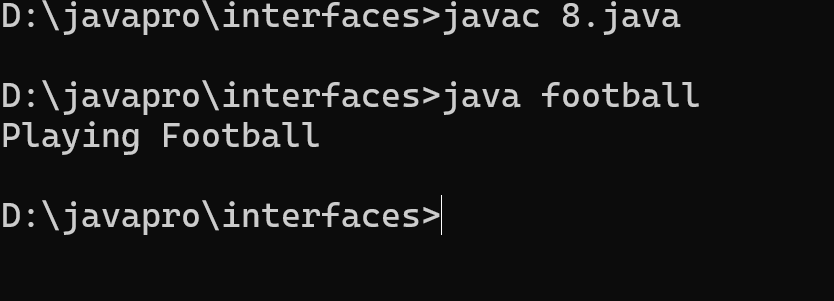
8. Write a Java program to create an interface Playable with a method play() that takes no arguments and returns void. Create three classes Football, Volleyball, and Basketball that implement the Playable interface and override the play() method to play the respective sports.
            interface play{
              void play();
              }

              class football implements play{

              public static void main(String s[]){
              football obj= new football();
              obj.play();
              }
              public void play(){
              System.out.println("Playing Football");}
              }

              class voleyball implements play{

              public static void main(String s[]){
              voleyball obj1= new voleyball();
              obj1.play();
              }
              public void play(){
              System.out.println("Playing voleyball");}
              }

              class basketball implements play{

              public static void main(String s[]){
              basketball obj2= new basketball();
              obj2.play();
              }
              public void play(){
              System.out.println("Playing basketball");}
              }
Output
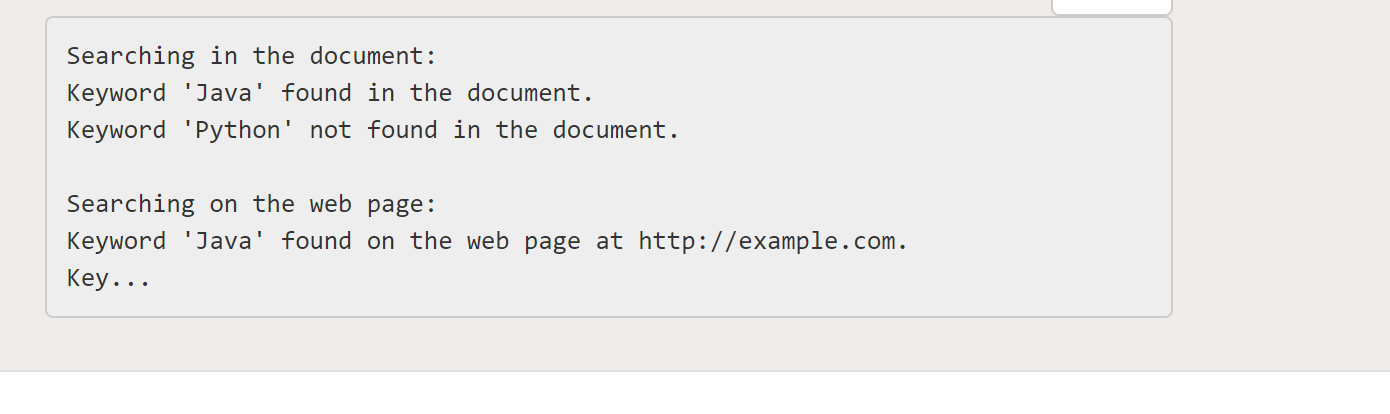
9. Write a Java program to create an interface Searchable with a method search(String keyword) that searches for a given keyword in a text document. Create two classes Document and WebPage that implement the Searchable interface and provide their own implementations of the search() method.
            // Write a Java program to create an interface Searchable with a method search(String keyword) that searches for a given keyword in a text document. Create two classes Document and WebPage that implement the Searchable interface and provide their own implementations of the search() method. (Program 9)
            // Created by Aryan , Rollno 7070
            // Note : In order to compile and run this program , rename it from "7070Interface9.java" to "Interface9.java"

            // Interface Searchable
            interface Searchable {
                void search(String keyword);
            }

            // Class Document implementing Searchable
            class Document implements Searchable {
                private String content;

                // Constructor for Document
                public Document(String content) {
                    this.content = content;
                }

                // Implementation of the search method for Document
                @Override
                public void search(String keyword) {
                    if (content.contains(keyword)) {
                        System.out.println("Keyword '" + keyword + "' found in the document.");
                    } else {
                        System.out.println("Keyword '" + keyword + "' not found in the document.");
                    }
                }
            }

            // Class WebPage implementing Searchable
            class WebPage implements Searchable {
                private String url;
                private String htmlContent;

                // Constructor for WebPage
                public WebPage(String url, String htmlContent) {
                    this.url = url;
                    this.htmlContent = htmlContent;
                }

                // Implementation of the search method for WebPage
                @Override
                public void search(String keyword) {
                    if (htmlContent.contains(keyword)) {
                        System.out.println("Keyword '" + keyword + "' found on the web page at " + url + ".");
                    } else {
                        System.out.println("Keyword '" + keyword + "' not found on the web page at " + url + ".");
                    }
                }
            }

            // Main class for testing
            public class Interface9 {
                public static void main(String[] args) {
                    // Create instances of Document and WebPage
                    Document document = new Document("This is a sample document. Java is a programming language.");
                    WebPage webPage = new WebPage("http://example.com", "Java programming on the web page");

                    // Test the search method for Document
                    System.out.println("Searching in the document:");
                    document.search("Java");
                    document.search("Python");
                    System.out.println();

                    // Test the search method for WebPage
                    System.out.println("Searching on the web page:");
                    webPage.search("Java");
                    webPage.search("JavaScript");
                }
            }
Output
11. Write a Java program to create an interface Sortable with a method sort (int[] array) that sorts an array of integers in descending order. Create two classes QuickSort and MergeSort that implement the Sortable interface and provide their own implementations of the sort() method.
            /* Write a Java program to create an interface Sortable with a method sort (int[] array) that sorts an array of integers in descending order. Create two classes QuickSort and MergeSort that implement the Sortable interface and provide their own implementations of the sort() method. */
            interface Sortable {
                void sort(int[] array);
            }

            class QuickSort implements Sortable {

                public void sort(int[] array) {
                    quickSort(array, 0, array.length - 1);
                }

                private void quickSort(int[] array, int low, int high) {
                    if (low < high) {
                        int pivotIndex = partition(array, low, high);
                        quickSort(array, low, pivotIndex - 1);
                        quickSort(array, pivotIndex + 1, high);
                    }
                }

                private int partition(int[] array, int low, int high) {
                    int pivot = array[high];
                    int i = low - 1;

                    for (int j = low; j < high; j++) {
                        if (array[j] >= pivot) {
                            i++;
                            swap(array, i, j);
                        }
                    }

                    swap(array, i + 1, high);
                    return i + 1;
                }

                private void swap(int[] array, int i, int j) {
                    int temp = array[i];
                    array[i] = array[j];
                    array[j] = temp;
                }
            }

            class MergeSort implements Sortable {

                public void sort(int[] array) {
                    mergeSort(array, 0, array.length - 1);
                }

                private void mergeSort(int[] array, int low, int high) {
                    if (low < high) {
                        int mid = (low + high) / 2;
                        mergeSort(array, low, mid);
                        mergeSort(array, mid + 1, high);
                        merge(array, low, mid, high);
                    }
                }

                private void merge(int[] array, int low, int mid, int high) {
                    int[] temp = new int[array.length];
                    for (int i = low; i <= high; i++) {
                        temp[i] = array[i];
                    }

                    int i = low;
                    int j = mid + 1;
                    int k = low;

                    while (i <= mid && j <= high) {
                        if (temp[i] >= temp[j]) {
                            array[k] = temp[i];
                            i++;
                        } else {
                            array[k] = temp[j];
                            j++;
                        }
                        k++;
                    }

                    while (i <= mid) {
                        array[k] = temp[i];
                        i++;
                        k++;
                    }
                }
            }

            public class interfaces11_7024 {
                public static void main(String[] args) {
                    int[] array = {2, 8, 70, 1, 53};

                    Sortable quickSort = new QuickSort();
                    quickSort.sort(array);
                    System.out.print("QuickSort: ");
                    printArray(array);

                    Sortable mergeSort = new MergeSort();
                    mergeSort.sort(array);
                    System.out.print("MergeSort: ");
                    printArray(array);
                }

                private static void printArray(int[] array) {
                    for (int num : array) {
                        System.out.print(num + " ");
                    }
                    System.out.println();
                }
            }
Output
