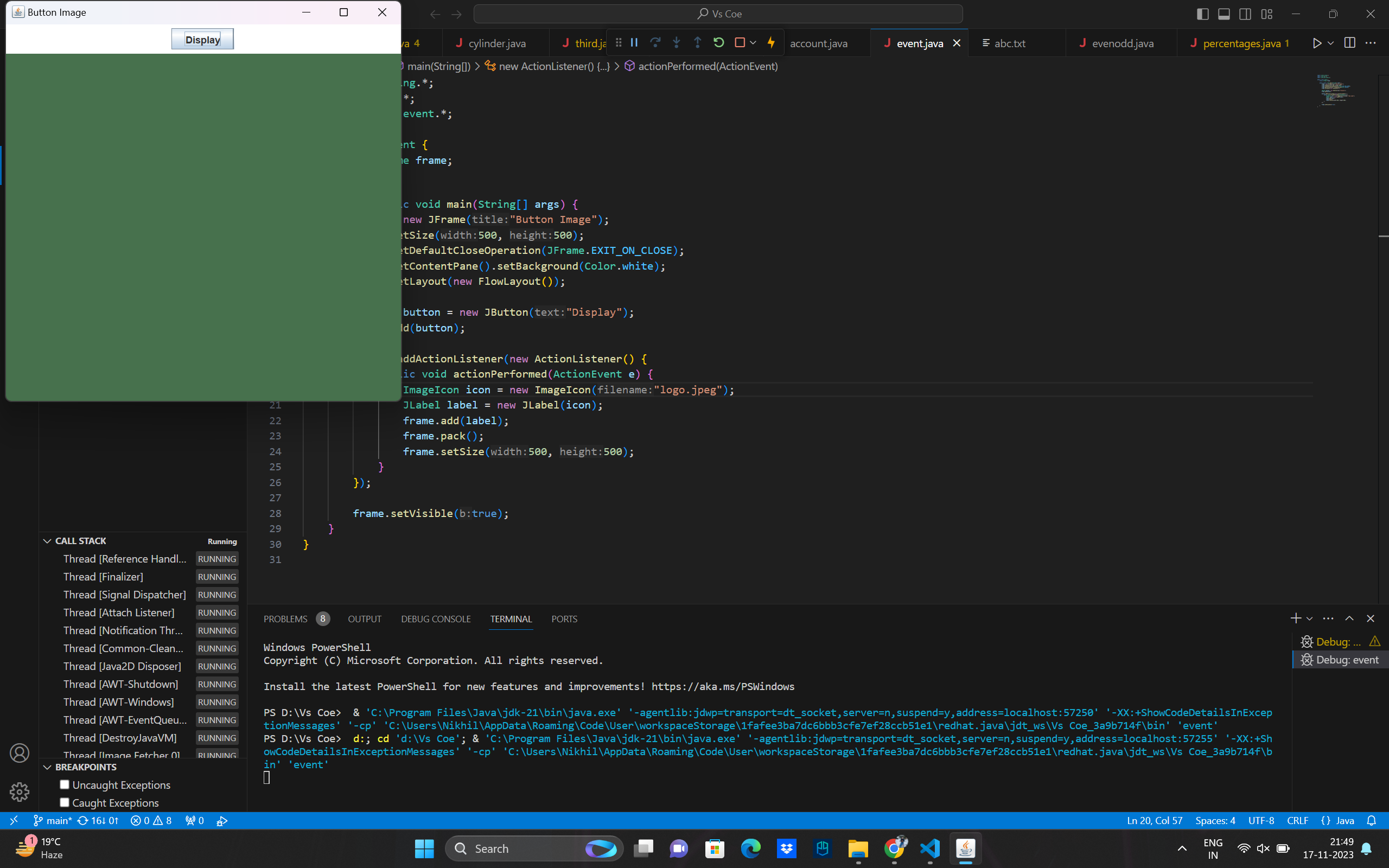
3. Java Program to Create a Button and Display Image in the Frame when Clicked
            import javax.swing.*;
            import java.awt.*;
            import java.awt.event.*;

            public class event {
                static JFrame frame;

                public static void main(String[] args) {
                    frame = new JFrame("Button Image");
                    frame.setSize(500, 500);
                    frame.setDefaultCloseOperation(JFrame.EXIT_ON_CLOSE);
                    frame.getContentPane().setBackground(Color.white);
                    frame.setLayout(new FlowLayout());

                    JButton button = new JButton("Display");
                    frame.add(button);

                    button.addActionListener(new ActionListener() {
                        public void actionPerformed(ActionEvent e) {
                            ImageIcon icon = new ImageIcon("logo.jpeg");
                            JLabel label = new JLabel(icon);
                            frame.add(label);
                            frame.pack();
                            frame.setSize(500, 500);
                        }
                    });

                    frame.setVisible(true);
                }
            }
Output
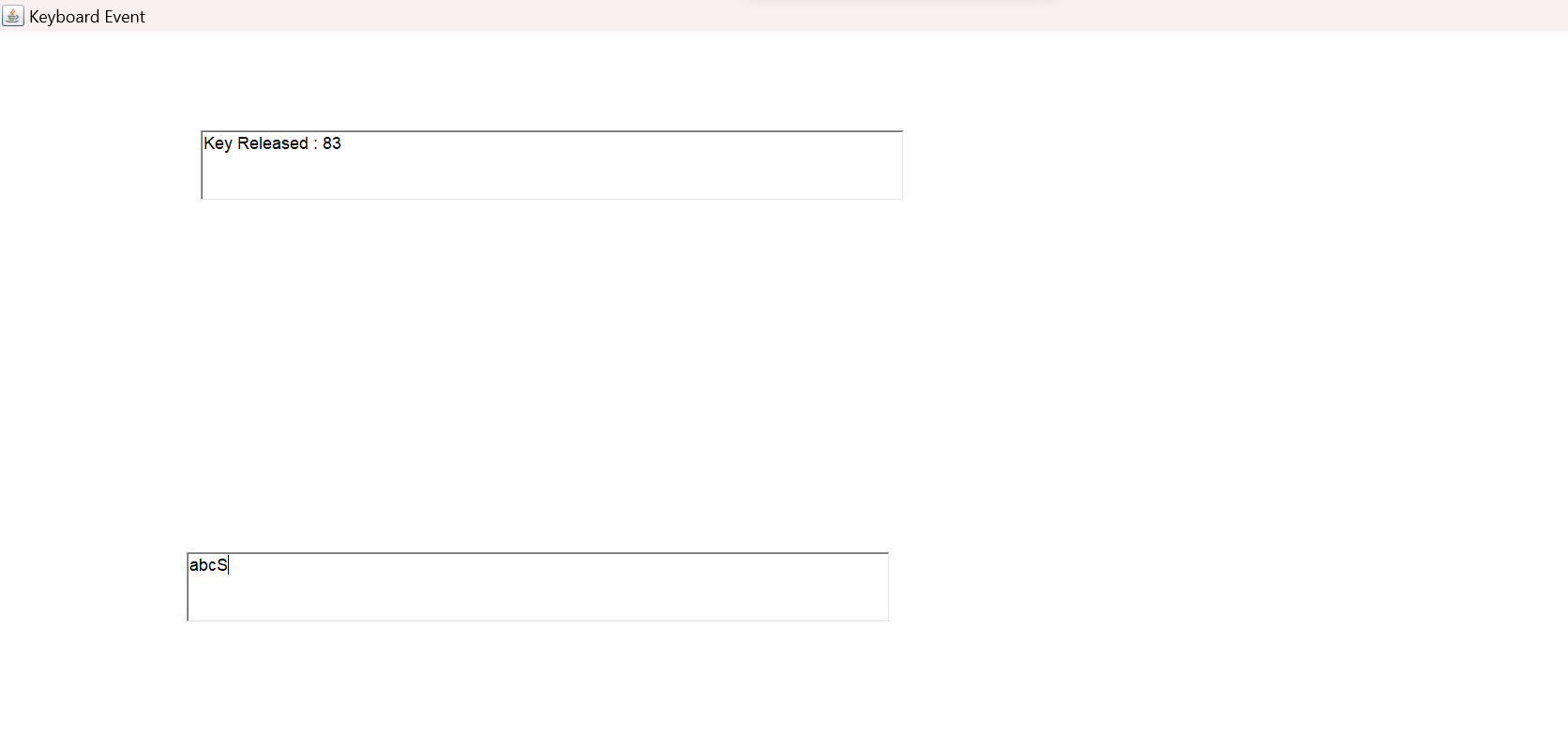
5. Java Program to Handle KeyBoardEvent
// Java Program to Handle KeyBoardEvent
import java.awt.*;
import java.awt.event.*;

class Main implements KeyListener {
    static Frame frame;
    static TextField tf1;
    static TextField tf2;

    // Driver function
    public static void main(String args[]) {
        frame = new Frame("Keyboard Event");
        frame.setSize(500, 500);
        frame.setLayout(null);

        tf1 = new TextField();
        tf1.setBounds(150, 100, 500, 50);

        tf2 = new TextField();
        tf2.setBounds(140, 400, 500, 50);

        Main obj = new Main();

        tf2.addKeyListener(obj);
        frame.addWindowListener(new WindowAdapter() {
            public void windowClosing(WindowEvent w) {
                frame.dispose();
            }
        });
        frame.setVisible(true);
        frame.add(tf1);
        frame.add(tf2);
    }

    public void keyReleased(KeyEvent e) {
        tf1.setText("");
        tf1.setText("Key Released : " + e.getKeyCode());
        System.out.println("Key Released");
    }

    // function to display the unicode of key pressed and the character if it is a letter or a digit
    public void keyPressed(KeyEvent e) {
        tf1.setText("");
        tf1.setText("Key Pressed : " + e.getKeyCode());
        System.out.println("Key Pressed");
    }

    // function to display the character of the key typed
    public void keyTyped(KeyEvent e) {
        tf1.setText("");
        tf1.setText("Key Typed : " + e.getKeyChar());
    System.out.println("Key Typed");
    }
}
Output
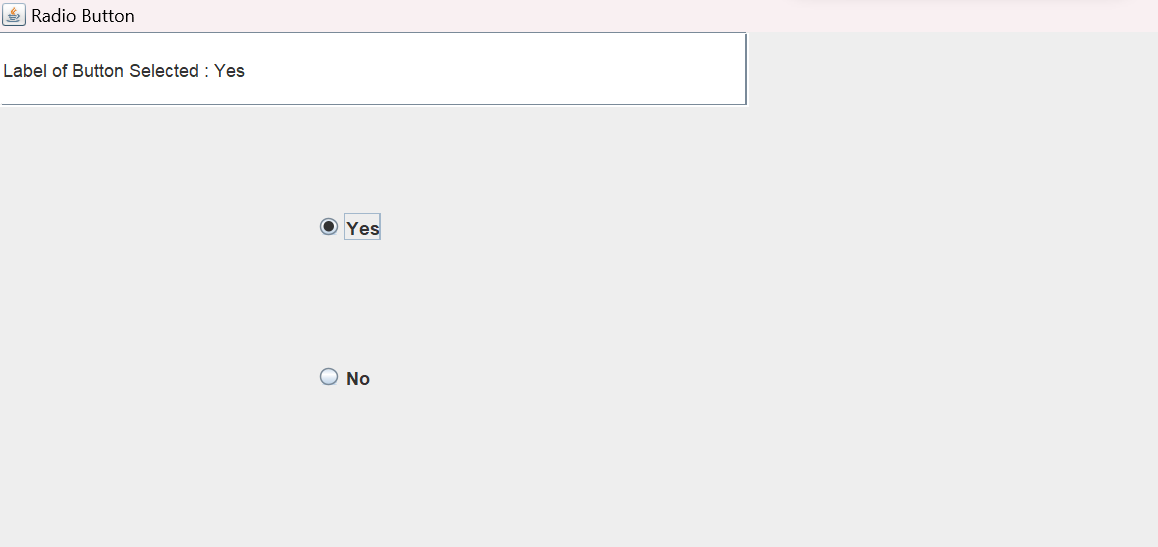
4. Java Program to Create 2 Radio Buttons and Display Selected Button Label
            import javax.swing.*;
            import java.awt.*;
            import java.awt.event.*;
            class Radio_Button implements ActionListener
            {
              static JRadioButton yes;
              static JRadioButton no;
              static JTextField text;

              public static void main(String args[])
              {
                //Create a frame
                JFrame frame=new JFrame("Radio Button");
                frame.setSize(500,500);
                frame.setLayout(null);
                frame.setBackground(Color.white);
                frame.setDefaultCloseOperation(JFrame.EXIT_ON_CLOSE);

                text=new JTextField();
                text.setBounds(0,0,500,50);
                frame.add(text);

                yes=new JRadioButton("Yes");
                no=new JRadioButton("No");
                yes.setBounds(210,100,80,60);
                no.setBounds(210,200,80,60);
                frame.add(yes);
                frame.add(no);

                Radio_Button obj=new Radio_Button();

                yes.addActionListener(obj);
                no.addActionListener(obj);
                //Display the frame
                frame.setVisible(true);
              }

              public void actionPerformed(ActionEvent e)
              {
                String b=e.getActionCommand();
                if(b.equals("Yes"))
                {
                  if(no.isSelected())
                    no.setSelected(false);
                }
                else
                {
                  if(yes.isSelected())
                    yes.setSelected(false);
                }
                text.setText("Label of Button Selected : "+b);
              }
            }
Output
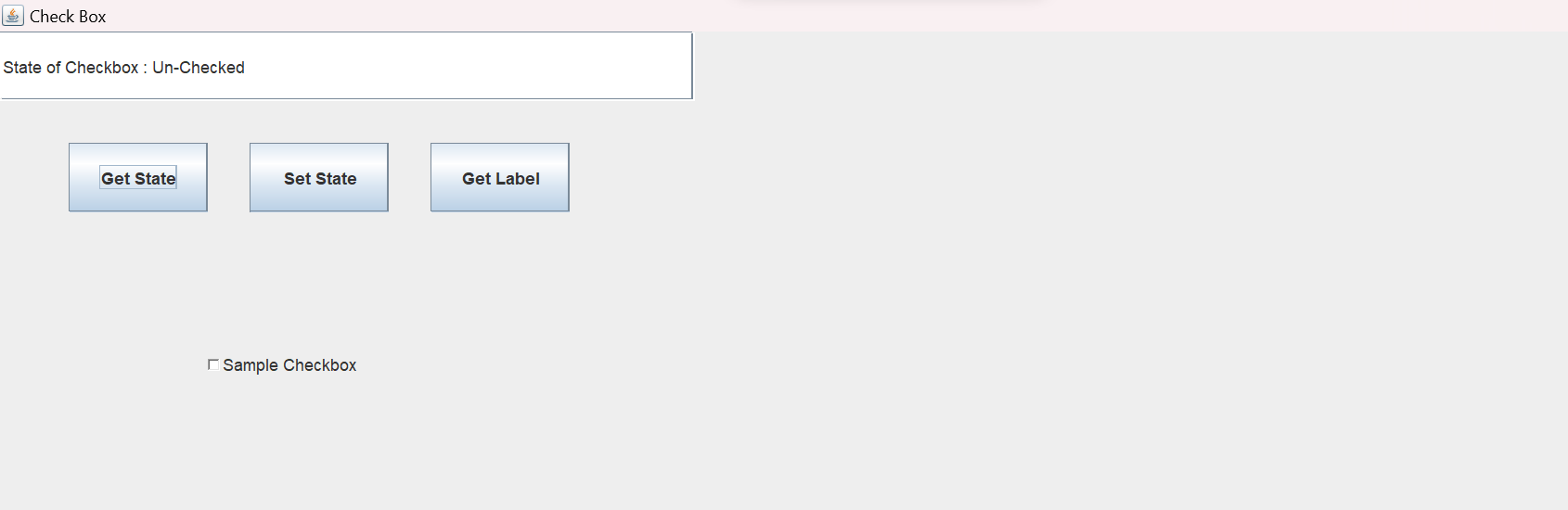
7. Java Program to Get and Set State and Get Label of a Check Box
            import javax.swing.*;
            import java.awt.*;
            import java.awt.event.*;
            class Check_Box implements ActionListener
            {
              static JTextField text;
              static Checkbox checkbox;

              public static void main(String args[])
              {
                //Create a frame
                JFrame frame=new JFrame("Check Box");
                frame.setSize(500,500);
                frame.setBackground(Color.white);
                frame.setLayout(null);
                frame.setDefaultCloseOperation(JFrame.EXIT_ON_CLOSE);

                text=new JTextField();
                text.setBounds(0,0,500,50);
                frame.add(text);

                JButton get_st=new JButton("Get State");
                JButton set_st=new JButton("Set State");
                JButton get_lb=new JButton("Get Label");
                get_st.setBounds(50,80,100,50);
                set_st.setBounds(180,80,100,50);
                get_lb.setBounds(310,80,100,50);
                frame.add(get_st);
                frame.add(set_st);
                frame.add(get_lb);

                Check_Box obj=new Check_Box();

                get_st.addActionListener(obj);
                set_st.addActionListener(obj);
                get_lb.addActionListener(obj);

                checkbox=new Checkbox("Sample Checkbox");
                checkbox.setBounds(150,200,200,80);
                frame.add(checkbox);
                //Display the frame
                frame.setVisible(true);
              }

                    @Override
              public void actionPerformed(ActionEvent e)
              {
                String option=e.getActionCommand();
                if(option.equals("Get State"))
                  get_State();
                else if(option.equals("Set State"))
                  set_State();
                else
                  get_Label();
              }

              public void get_State()
              {
                boolean state=checkbox.getState();
                if(state==true)
                  text.setText("State of Checkbox : Checked");
                else
                  text.setText("State of Checkbox : Un-Checked");
              }

              public void set_State()
              {
                            text.setText("State of Checkbox changed from ");
                boolean state=checkbox.getState();
                if(state==true)
                {
                  checkbox.setState(false);
                  text.setText(text.getText()+"Checked to Un-Checked");
                }
                else
                {
                  checkbox.setState(true);
                  text.setText(text.getText()+"Un-Checked to Checked");
                }
              }

              public void get_Label()
              {
                text.setText("Label of the checkbox is : ");
                            text.setText(text.getText()+checkbox.getLabel());
              }
            }
Output
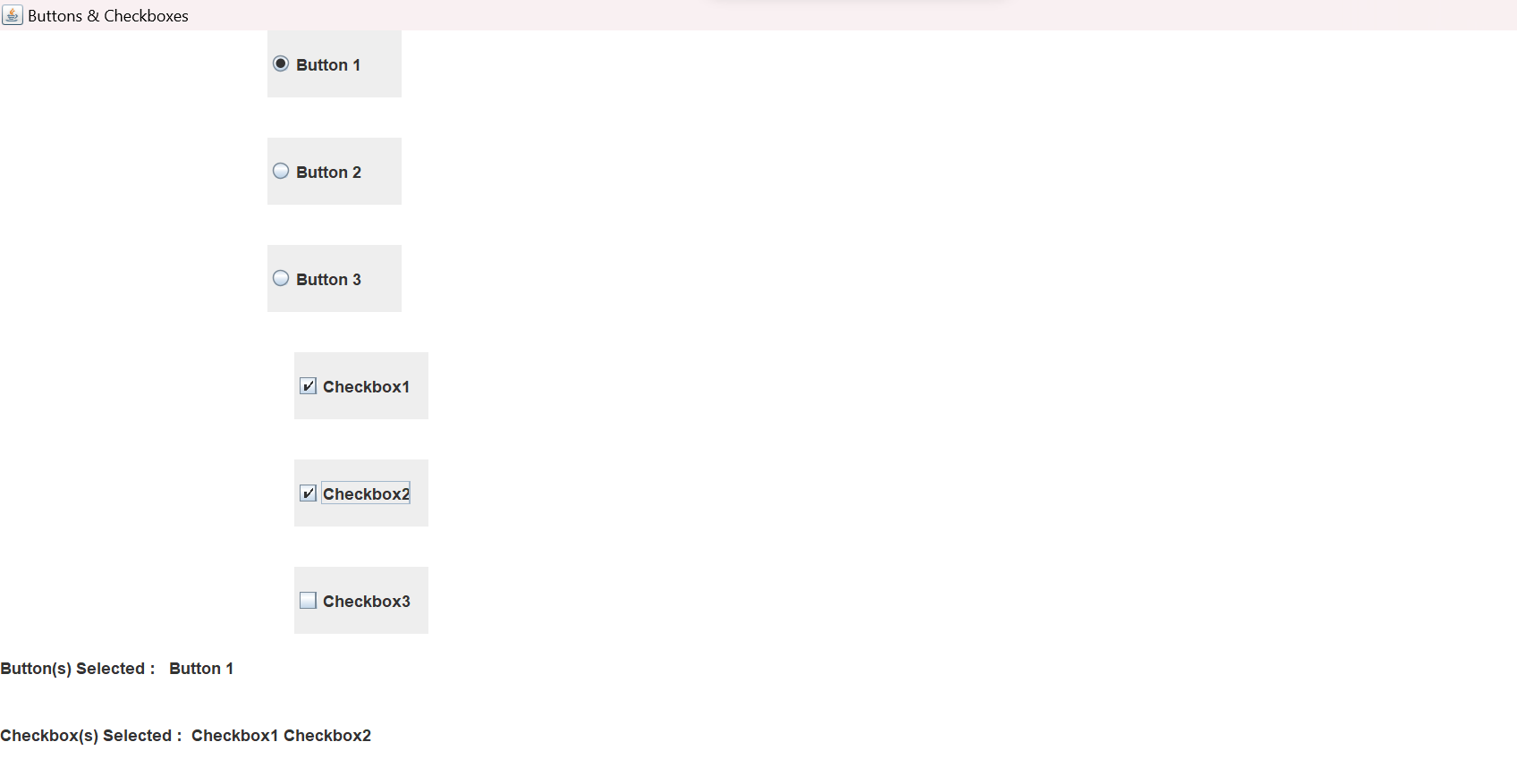
8. Java Program to Create Check Boxes and Radio Buttons
            import javax.swing.*;
            import java.awt.*;
            import java.awt.event.*;
            class Button_Checkbox implements ActionListener,ItemListener
            {
                static JFrame frame;
                static JLabel text1,text2;
                static JCheckBox[] checkbox;
                static JRadioButton[] button;

                public static void main(String args[])
                {

              frame=new JFrame("Buttons & Checkboxes");
              frame.setSize(600,600);
              frame.setLayout(null);
              frame.setDefaultCloseOperation(JFrame.EXIT_ON_CLOSE);
              frame.getContentPane().setBackground(Color.white);

              text1=new JLabel("");
              text1.setBounds(0,450,600,50);
              frame.add(text1);
              text2=new JLabel("");
              text2.setBounds(0,500,600,50);
              frame.add(text2);

              Button_Checkbox obj=new Button_Checkbox();

              button=new JRadioButton[3];
              for(int i=0;i< 3;i++)
              {
                button[i]=new JRadioButton("Button "+(i+1));
                button[i].setBounds(200,i*80,100,50);
                frame.add(button[i]);
                button[i].addActionListener(obj);
              }

              checkbox=new JCheckBox[3];
              for(int i=0;i< 3;i++)
              {
                checkbox[i]=new JCheckBox("Checkbox"+(i+1));
                checkbox[i].setBounds(220,(240)+i*80,100,50);
                frame.add(checkbox[i]);
                checkbox[i].addItemListener(obj);
              }

              frame.setVisible(true);
                }

                public void actionPerformed(ActionEvent e)
                {
                    String s="";
              for(int i=0;i < 3;i++)
              {
                  if(button[i].isSelected())
                      s=s+" "+button[i].getText();
              }
              text1.setText("Button(s) Selected : "+" "+s);
                }

                public void itemStateChanged(ItemEvent e)
                {
                    String s="";
              for(int i=0;i< 3;i++)
              {
                  if(checkbox[i].isSelected())
                      s=s+" "+checkbox[i].getText();
              }
              text2.setText("Checkbox(s) Selected : "+s);
                }
            }
Output
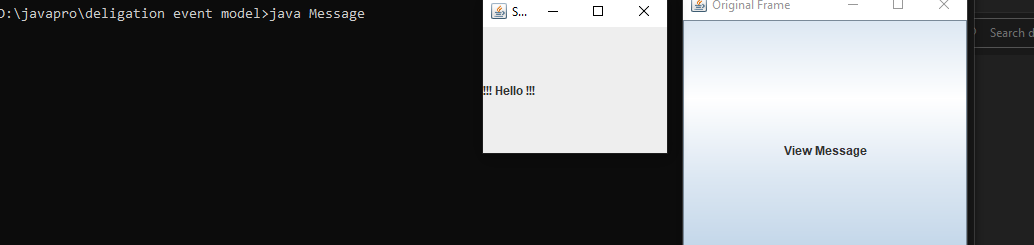
12. Java Program to Display a Message in a New Frame
            import javax.swing.*;
            import java.awt.event.*;
            import java.awt.*;
            class Message implements ActionListener
            {

                public static void main(String args[])
                {

              JFrame frame = new JFrame("Original Frame");
              frame.setSize(300,300);
              frame.setDefaultCloseOperation(JFrame.EXIT_ON_CLOSE);


              Message obj = new Message();


              JButton button = new JButton("View Message");
              frame.add(button);
              button.addActionListener(obj);


              frame.setVisible(true);
                }

                public void actionPerformed(ActionEvent e)
                {

              JFrame sub_frame = new JFrame("Sub Frame");
              sub_frame.setSize(200,200);


              JLabel label = new JLabel("!!! Hello !!!");
              sub_frame.add(label);


              sub_frame.setVisible(true);
                }
            }
Output
13. Java Program to Close the Frame using WindowAdapter Class
            import javax.swing.*;
            import java.awt.*;
            import java.awt.event.*;
            class Window_Adapter extends WindowAdapter
            {
                static JFrame frame;

                public static void main(String args[])
                {

                    frame=new JFrame("Window Adapter Class");
                    frame.setBackground(Color.white);
                    frame.setSize(500,500);

                    Window_Adapter obj=new Window_Adapter();

                    frame.addWindowListener(obj);
                    frame.setVisible(true);
                }

                @Override
                public void windowClosing(WindowEvent e)
                {
                    System.out.println("Status of frame : Closing");
                    windowClosed(e);
                }

                @Override
                public void windowClosed(WindowEvent e)
                {
                    frame.dispose();
                }

                @Override
                public void windowIconified(WindowEvent e)
                {
                    System.out.println("Status of frame : Iconified");
                }

                @Override
                public void windowDeiconified(WindowEvent e)
                {
                    System.out.println("Status of frame : Deiconfied");
                }

                @Override
                public void windowActivated(WindowEvent e)
                {
                    System.out.println("Status of frame : Activated");
                }

                @Override
                public void windowDeactivated(WindowEvent e)
                {
                    System.out.println("Status of frame : Deactivated");
                }

                @Override
                public void windowOpened(WindowEvent e)
                {
                    System.out.println("Status of frame : Opened");
                }
            }
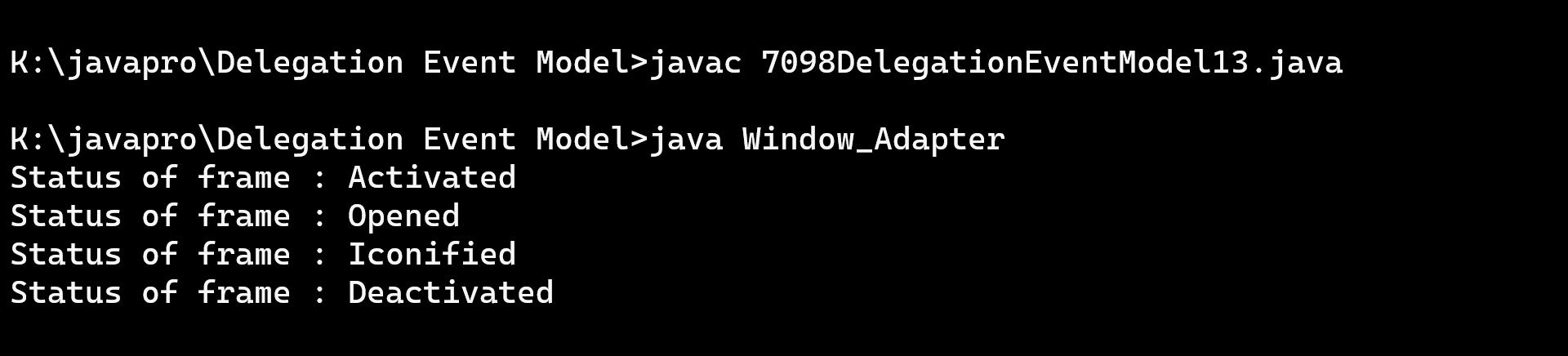
Output
14. Java Program to Check Which Fonts are Available in a Local System
            import java.awt.GraphicsEnvironment;
            class Fonts_Available
            {
              public static void main(String[] args)
              {
                GraphicsEnvironment local_env;
                            local_env= GraphicsEnvironment.getLocalGraphicsEnvironment();
                String allfonts[] = local_env.getAvailableFontFamilyNames();
                for(int i=0;i< allfonts.length;i++)
                  System.out.println(allfonts[i]);
              }
            }
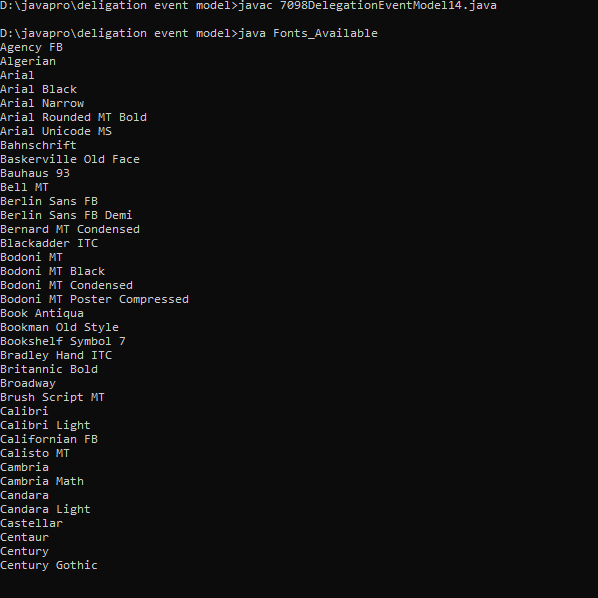
Output
18. Java Program to Display Several Dots on the Screen Continuously
            import javax.swing.*;
            import java.awt.*;
            import java.lang.Math;
            import java.awt.Graphics.*;
            class dispdots {
              //Driver function
              public static void main(String args[]) {
                //Create a frame
                JFrame frame = new JFrame("Infinite Dots");
                frame.setSize(500, 500);
                frame.getContentPane().setBackground(Color.black);
                frame.setDefaultCloseOperation(JFrame.EXIT_ON_CLOSE);
                frame.setVisible(true);
                /*Draw the dots on frame continuously using method paint
                              until the user closes the frame*/
                while (frame.isVisible()) {
                  paint(frame.getGraphics());
                  try {
                    //Delay by 1ms
                    Thread.sleep(1);
                  } catch (InterruptedException ie) {}
                }
              }
              //function to draw a dot on the frame
              public static void paint(Graphics g) {
                g.setColor(Color.green);
                int x = (int)(Math.random() * 1000) % 500;
                int y = (int)(Math.random() * 1000) % 500;
                g.drawLine(x, y, x, y);
              }
            }
Output
