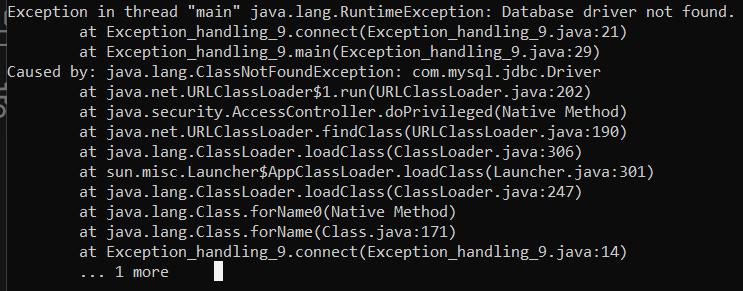
import java.sql.Connection;
import java.sql.DriverManager;
import java.sql.SQLException;

public class Exception_handling_9 {
    private static final String DB_URL = "jdbc:mysql://localhost:3306/your_database";
    private static final String DB_USER = "your_username";
    private static final String DB_PASS = "your_password";

    public static Connection connect() throws SQLException {
        Connection connection = null;
        try {
            // Load the database driver
            Class.forName("com.mysql.jdbc.Driver");

            // Establish the database connection
            connection = DriverManager.getConnection(DB_URL, DB_USER, DB_PASS);

            return connection;
        } catch (ClassNotFoundException e) {
            throw new RuntimeException("Database driver not found.", e);
        } catch (SQLException e) {
            throw new SQLException("Failed to connect to the database.", e);
        }
    }

    public static void main(String[] args) {
        try {
            Connection connection = connect();
            if (connection != null) {
                System.out.println("Connected to the database successfully.");
                // Perform database operations here
                connection.close(); // Don't forget to close the connection when done.
            }
        } catch (SQLException e) {
            System.err.println("Database connection failed: " + e.getMessage());
            e.printStackTrace();
        }
    }
}